



Activa el sonido para oír la voz. · Prueba gratis las lecciones 0 y 1 →
Curso en vídeo · Curso en inglés
Digital skills, explained
Pass the EPSO digital skills test understanding it, not memorising it
The test asks about five areas of the EU digital competence framework, DigComp. In about 90 minutes you learn what each one covers and how it works in the tools you already use, and you practise with questions that explain every answer, right or wrong.
- 8
- lecciones
- 15
- min de vídeo
- 22
- preguntas con la respuesta explicada
- 26
- términos de glosario
- 22
- páginas de guía de repaso
29 € IVA incluido
- Acceso con el correo con el que pagas, mientras el curso esté en línea
- 8 lecciones, 8 vídeos cortos con subtítulos y una guía de repaso para imprimir
- Funciona en ordenador y en móvil
Prueba gratis las lecciones 0 y 1 · Sin cuenta.
¿Ya lo compraste? Abre el curso · Entra con el correo con el que pagaste.
El acceso empieza en cuanto pagas. Al comprar pides que empiece ya y aceptas que pierdes el derecho de desistimiento de 14 días.
Por qué este curso
- Entender, no memorizarCada lección explica primero cómo funcionan las cosas, para que respondas preguntas que nunca has visto.
- Preguntas que enseñan22 preguntas al estilo de la prueba. Cada opción, buena o mala, lleva su porqué.
- Corto y al granoOcho lecciones de unos diez minutos, cada una abierta por un vídeo de dos. Unos 90 minutos en total.
- Solo textos oficialesDigComp 2.2 y 3.0 y la convocatoria. Revisado por un revisor independiente.
Lo que vas a entender
- How the EPSO digital skills test is built and scored
- How search engines order results, how to judge a source and where data is stored
- How to share, collaborate and manage your digital identity
- What copyright and licences allow, and what a program is
- How devices, personal data, health and the environment are protected
- How to find the cause of a technical problem and choose the right tool
- What DigComp 3.0 adds: AI, new online risks and well-being
Las lecciones
 ▶ 1:51
0Digital competence and the EPSO testgratis
What DigComp is, the five areas it describes and how the EPSO digital skills test uses them.
What DigComp is · How the EPSO test uses it · Before you start: what do you already know?
 ▶ 2:07
1Information and data literacygratis
How search engines decide what you see, how to tell whether a source can be trusted, and where data is stored.
1.1 Searching: why you see what you see · 1.2 Evaluating: can you trust it? · 1.3 Managing: where your data lives
 ▶ 2:04
2Communication and collaboration
How to share with the right people, work on documents together, behave online and manage your digital identity.
2.2 Sharing: who sees what · 2.4 Collaborating: working on the same thing · 2.5 Netiquette: the rules nobody writes down · 2.6 Digital identity: what you leave behind
 ▶ 2:00
3Digital content creation
How content is made and edited, what copyright and licences allow, and what programming means.
3.1 Creating content everyone can use · 3.3 Copyright and licences: who may use what · 3.4 Programming: what a program is
 ▶ 1:51
4Safety
What each security measure protects: devices, personal data, health and the environment.
4.1 Protecting devices: what each measure does · 4.2 Protecting personal data · 4.3 Protecting health and well-being · 4.4 Protecting the environment · Which of the four is it?
 ▶ 1:53
5Problem solving
How to find the cause of a technical problem and pick the tool that meets a need.
5.1 Technical problems: start with the simple causes · 5.2 Matching a need to a tool · 5.4 Where a difficulty comes from
 ▶ 2:10
6What DigComp 3.0 changes
What the 2025 update adds: artificial intelligence, new online risks and well-being.
What stays and what changes · AI in the framework · New words to know
 ▶ 1:32
7How the questions work
How the 40 questions are worded and how to use the 30 minutes.
The clock: 45 seconds a question · Reading a NOT question · What your score does · Try it at speed
Cómo es por dentro
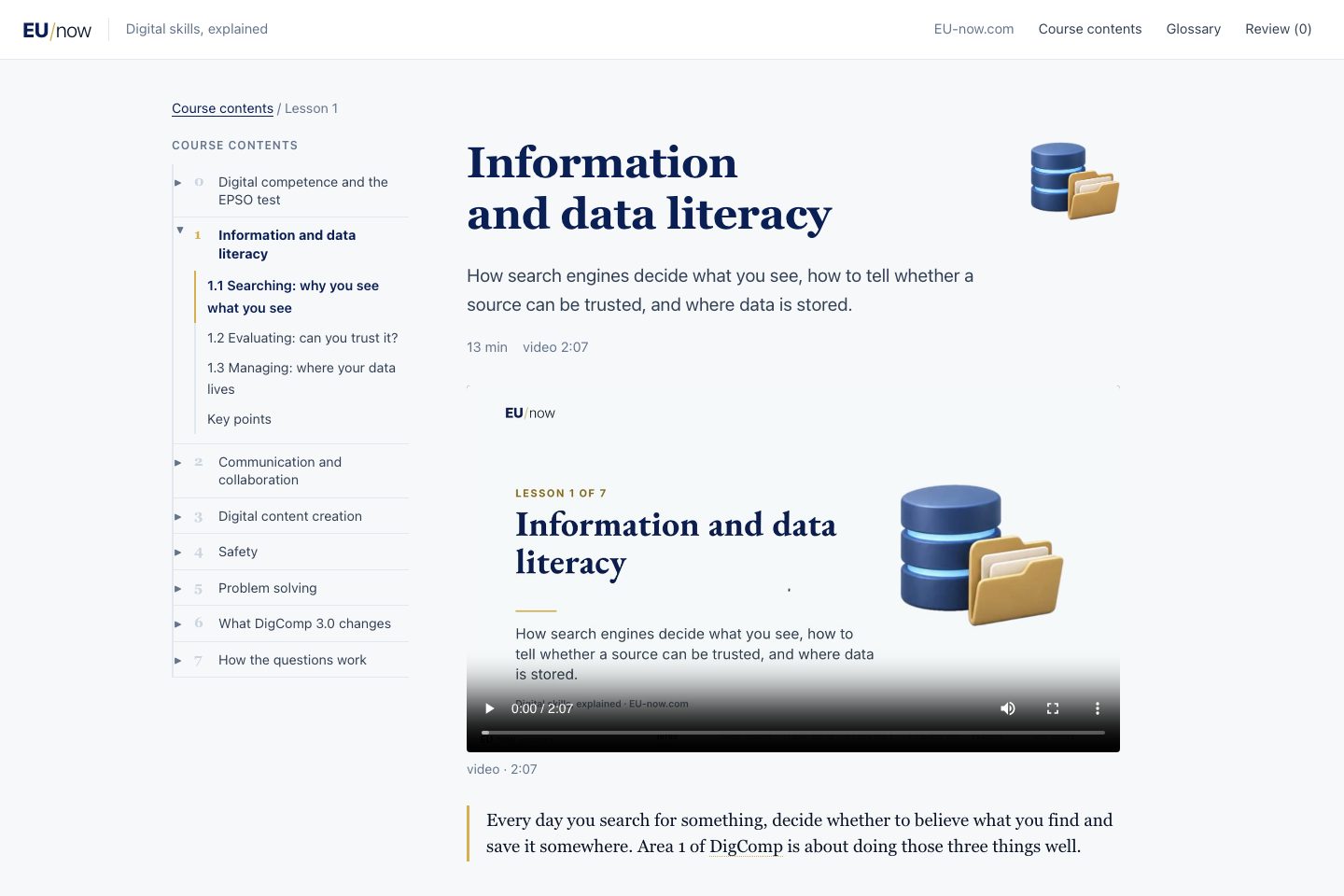 Cada lección empieza con un vídeo corto
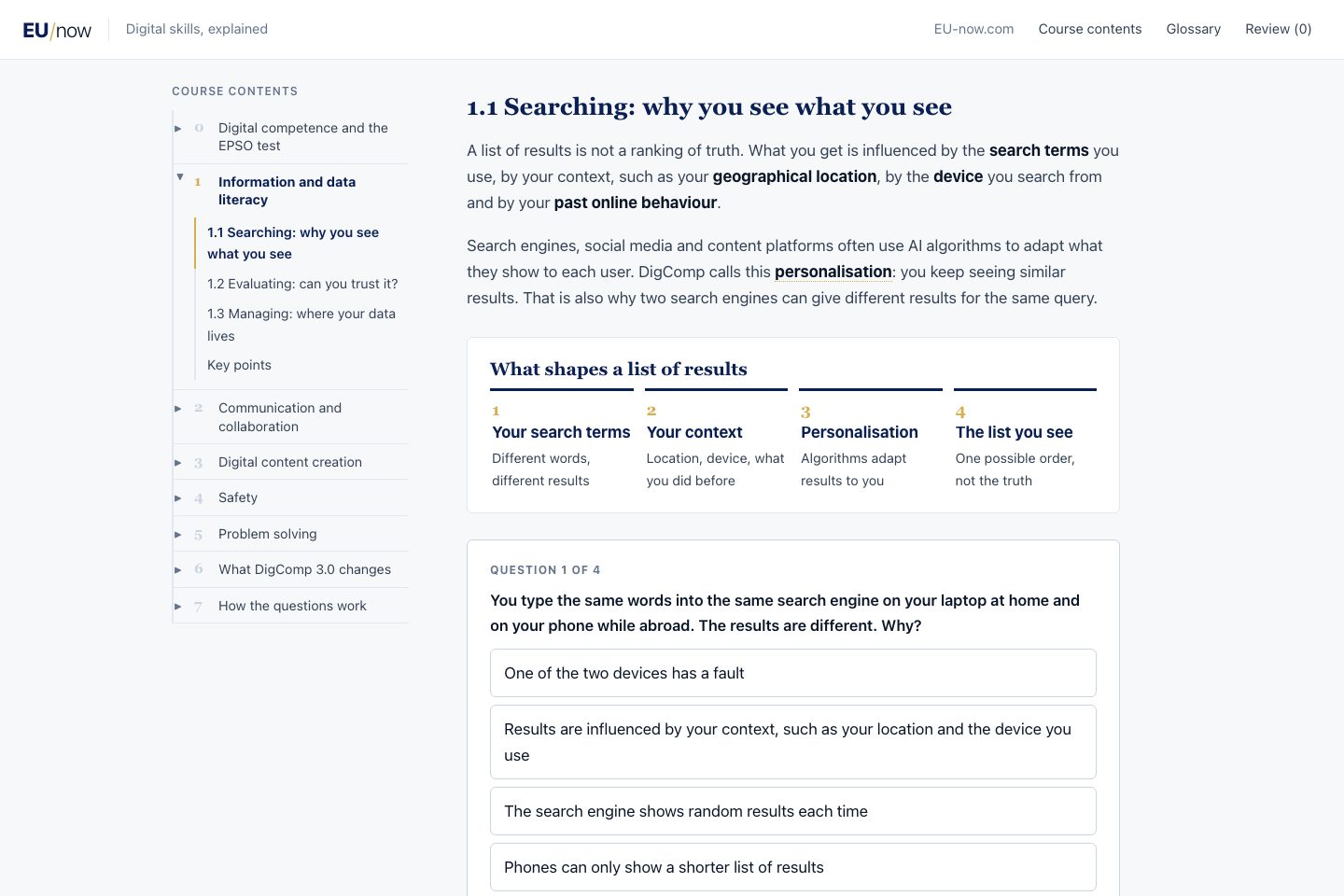 Después, la lección por las piezas de su área
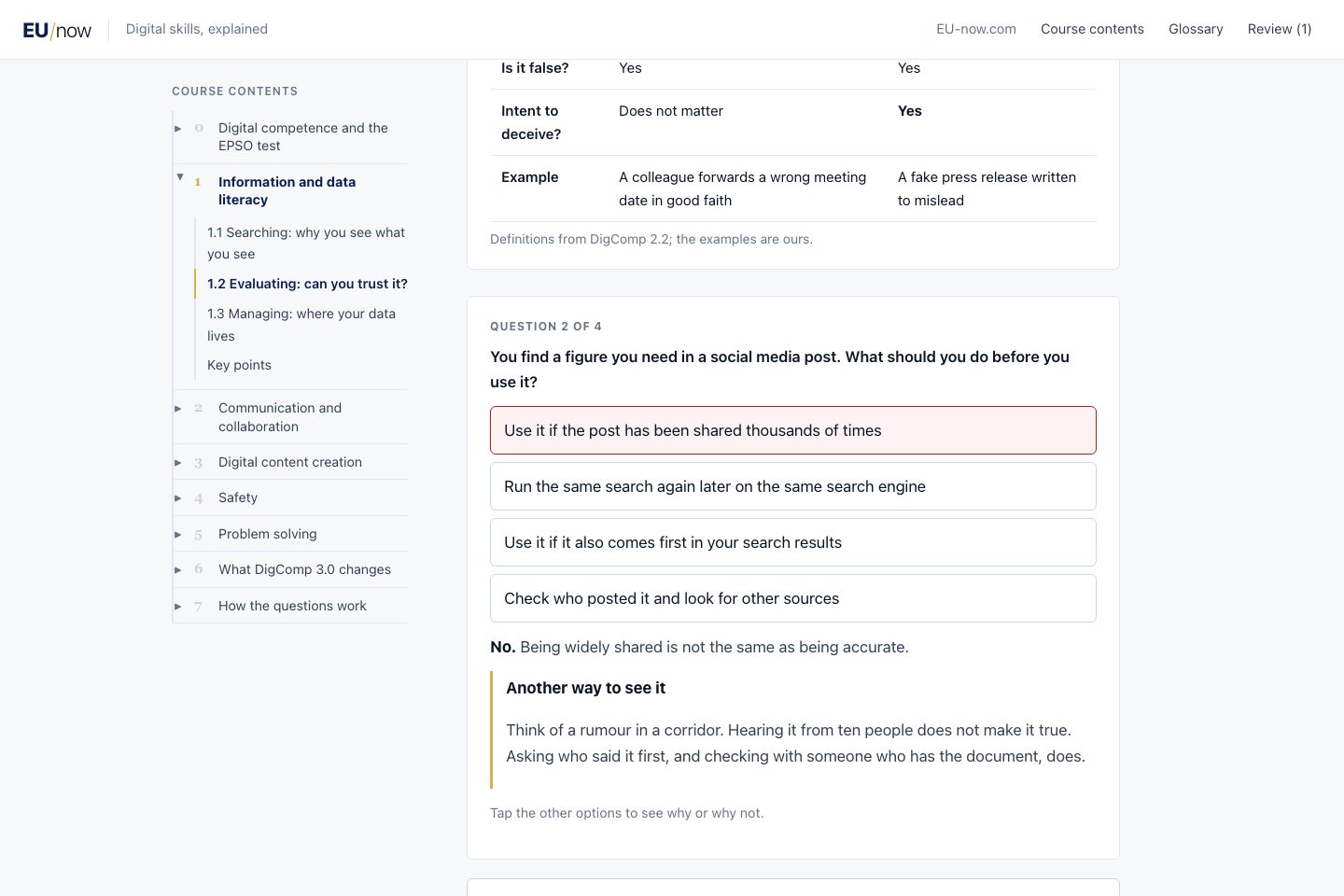 Una pregunta tras cada pieza, con el porqué de cada opción
Para quién
Para quien prepara una oposición de EPSO con prueba de competencias digitales, como EPSO/AD/427/26 – Administradores (AD 5). Usas el ordenador a diario, pero nunca has estudiado las ideas ni el vocabulario sobre los que se construye la prueba.
Cómo se hizo
Solo con textos oficiales: el marco europeo de competencia digital DigComp 2.2 y 3.0 (Comisión Europea, Centro Común de Investigación) y la convocatoria. Un revisor independiente comprobó cada dato contra esos textos. Las fotos son reales y llevan su crédito.
Preguntas
¿Cómo entro después de pagar?
Entra en eu-now.com con el mismo correo con el que pagaste: te mandamos un enlace, sin contraseña. El curso aparece en el acto. También te llega un correo con el enlace.
Pagué con un correo distinto del de mi cuenta de EU-now.
Entra con el correo con el que pagaste, o escribe a support@eu-now.com y pasamos el acceso a tu cuenta.
¿En qué idioma está?
En inglés: las lecciones, los vídeos (con subtítulos) y la guía de repaso.
¿Sustituye a leer mi convocatoria?
No. La convocatoria es el único texto que vincula: el curso explica el marco al que remite y cómo se construye la prueba.
¿Puedo probarlo antes?
Sí. Las lecciones 0 y 1 son gratis, con sus vídeos, y se abren sin cuenta.
Digital skills, explained
8 lecciones · 15 min de vídeo · Curso en inglés